An accurate timer
Prepare, hang, rest and set rest, with beeps and haptics. Time is read from the clock, not counted in ticks, so it does not drift and survives the app being backgrounded. Pause, skip or restart a rep mid-session.
Fingerboard training that logs every hang and tells you what load to try next. Offline, no account.
CrimpLab is a hangboard timer, training log and plan builder in one app. Pick the board you own, run a protocol on a timer that keeps going with the screen locked, log how each hang went, and get a suggested load for the next session. Everything is stored on the phone: no account, no sign-in, no server of ours in the middle.
Swipe through the app. Every screen here is the real app, running on a phone.
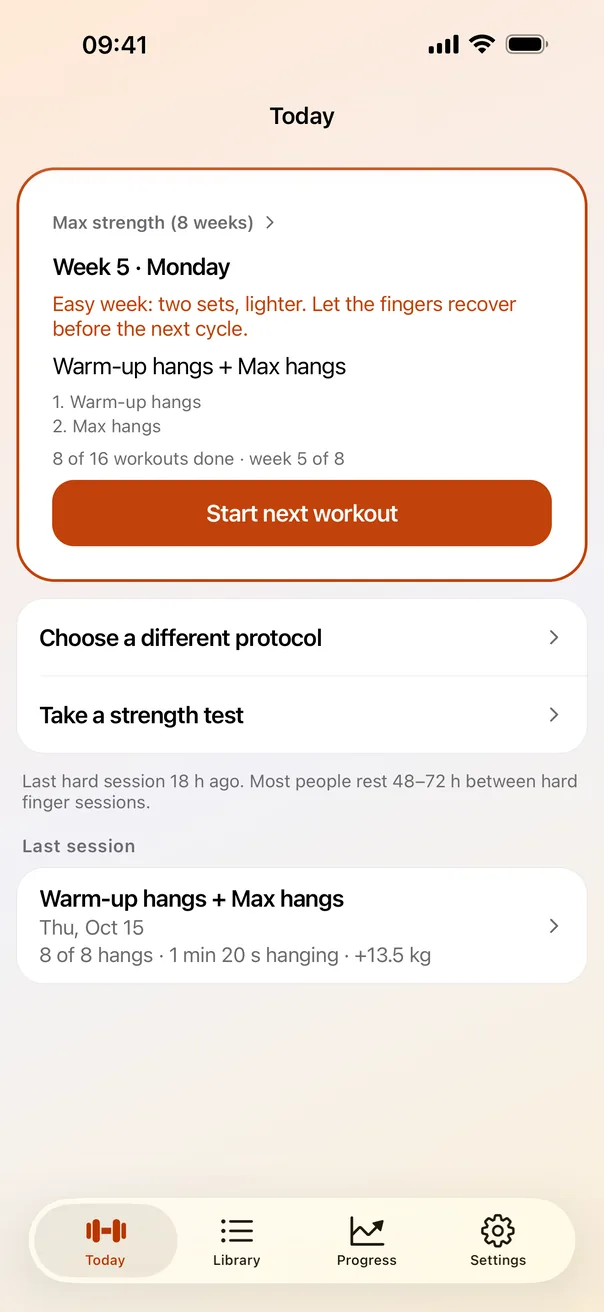
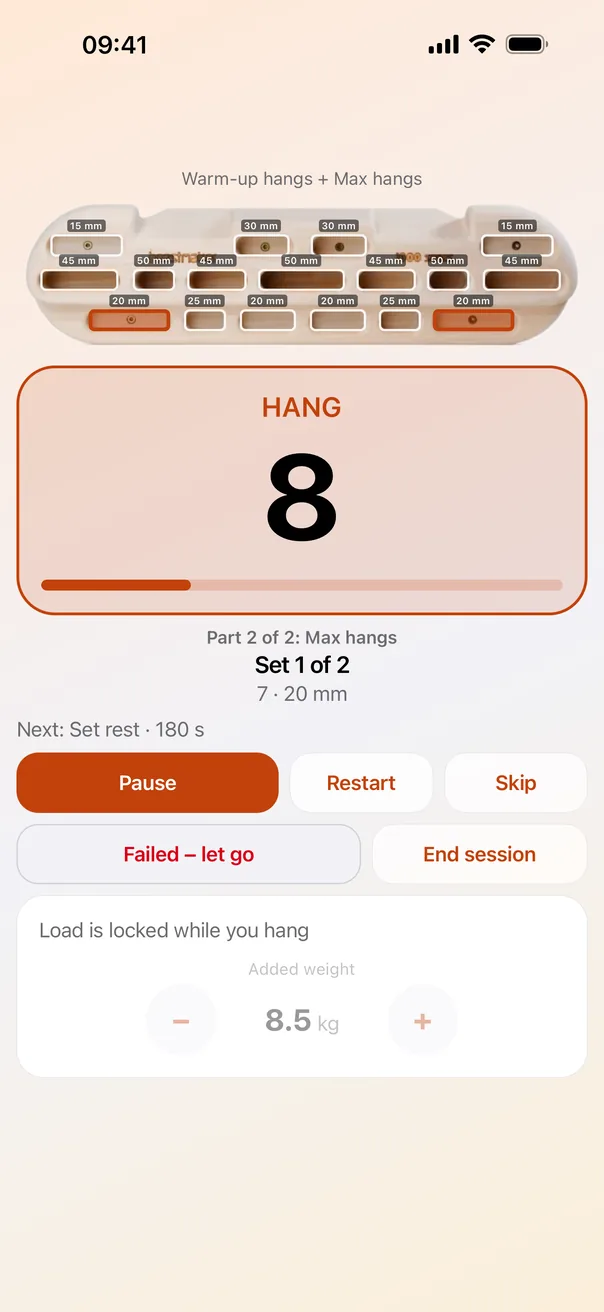
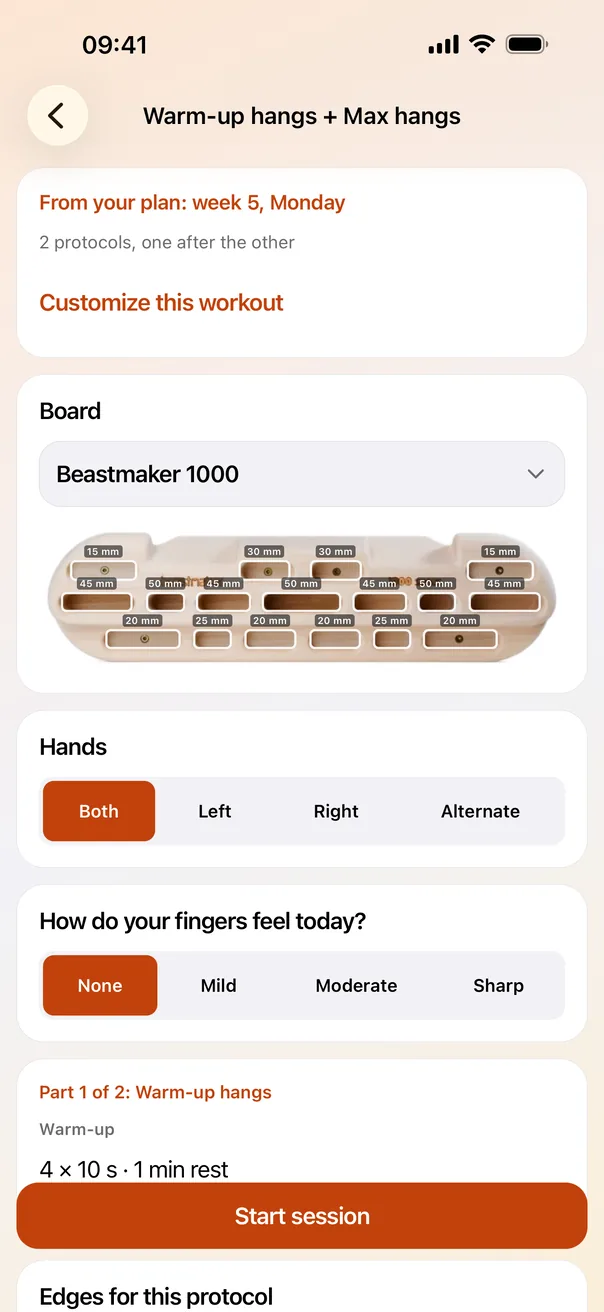
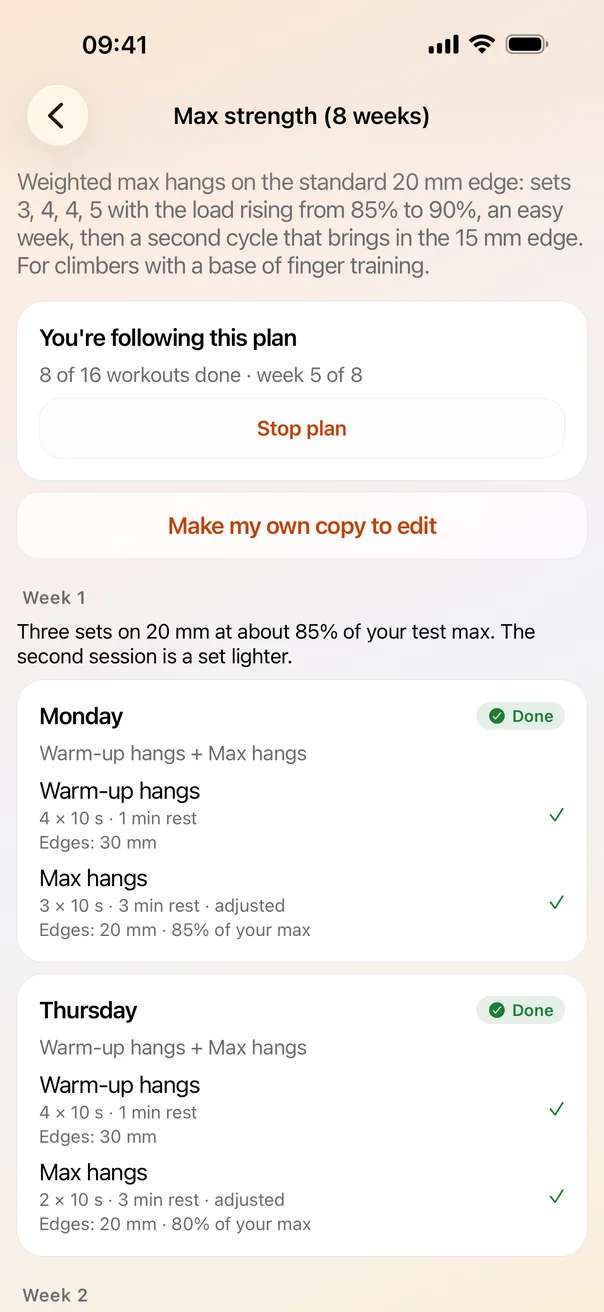
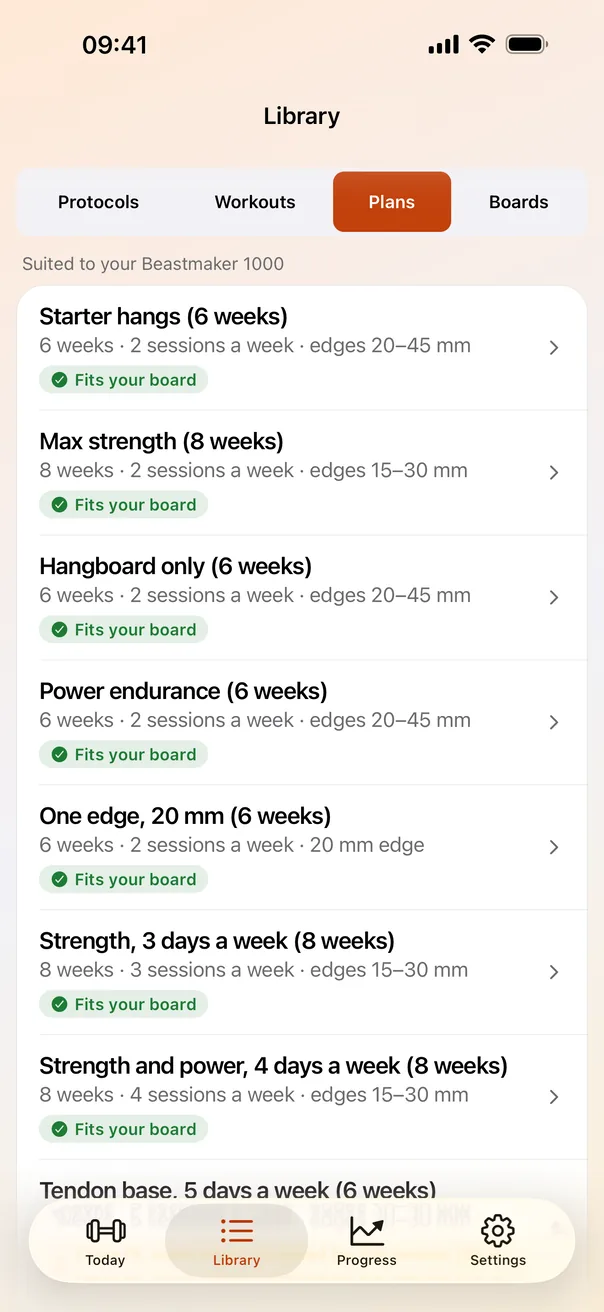
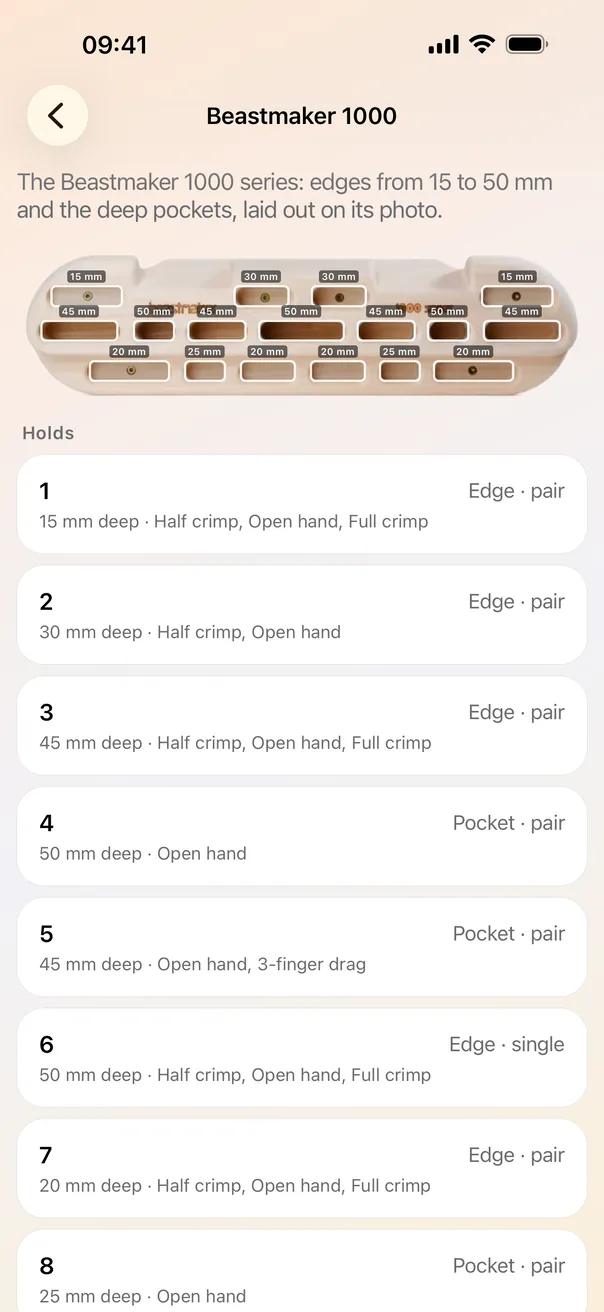
The timer, the log, and the numbers that connect one session to the next.
Prepare, hang, rest and set rest, with beeps and haptics. Time is read from the clock, not counted in ticks, so it does not drift and survives the app being backgrounded. Pause, skip or restart a rep mid-session.
Max hangs, repeaters, 7/53, intermittent hangs, 3-6-9 ladders and more, each with an info card and its source. A protocol is an ordered list of sets with their own timings, edge, grip, hand and load, so ladders and ramps are just protocols.
Choose a preset or photograph your fingerboard, frame it, and mark each hold with its depth in millimetres. The timer highlights the hold you are on and tracks left and right hand.
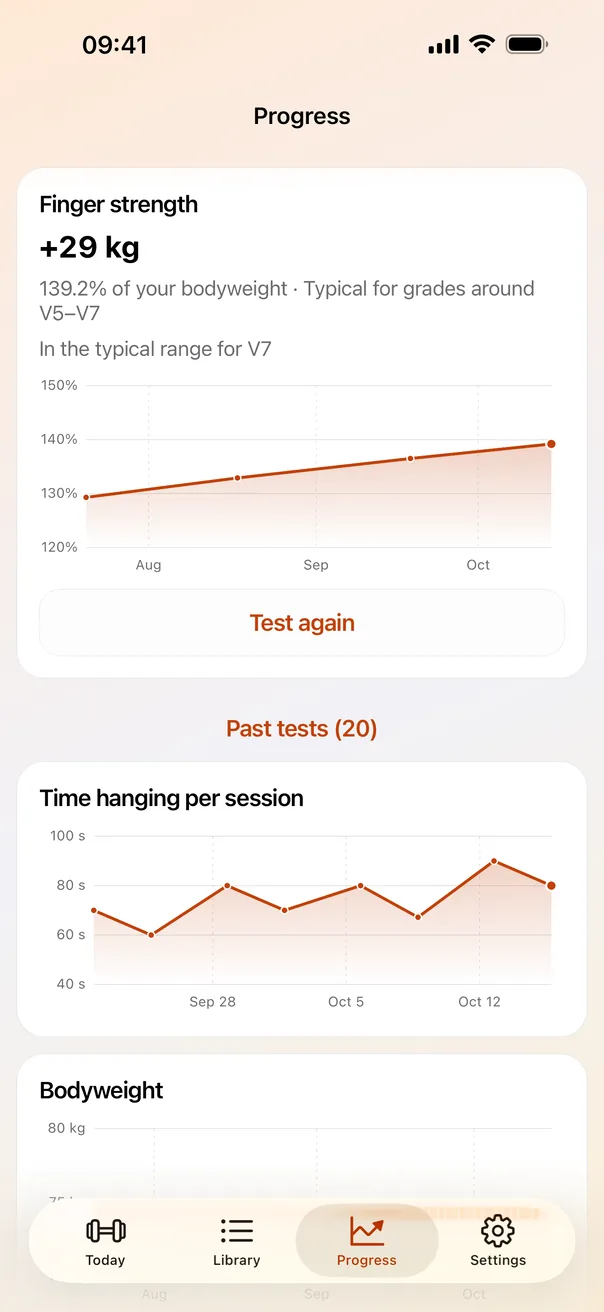
A guided max hang on a 20 mm edge, shown against grade benchmarks as a range with its caveats, never a single verdict. The comparison is context, not a prescription.
Starts from your tested max, then goes up after clean, easy sessions, holds after a borderline one and backs off after a failure or finger pain. The rule is visible, not a black box.
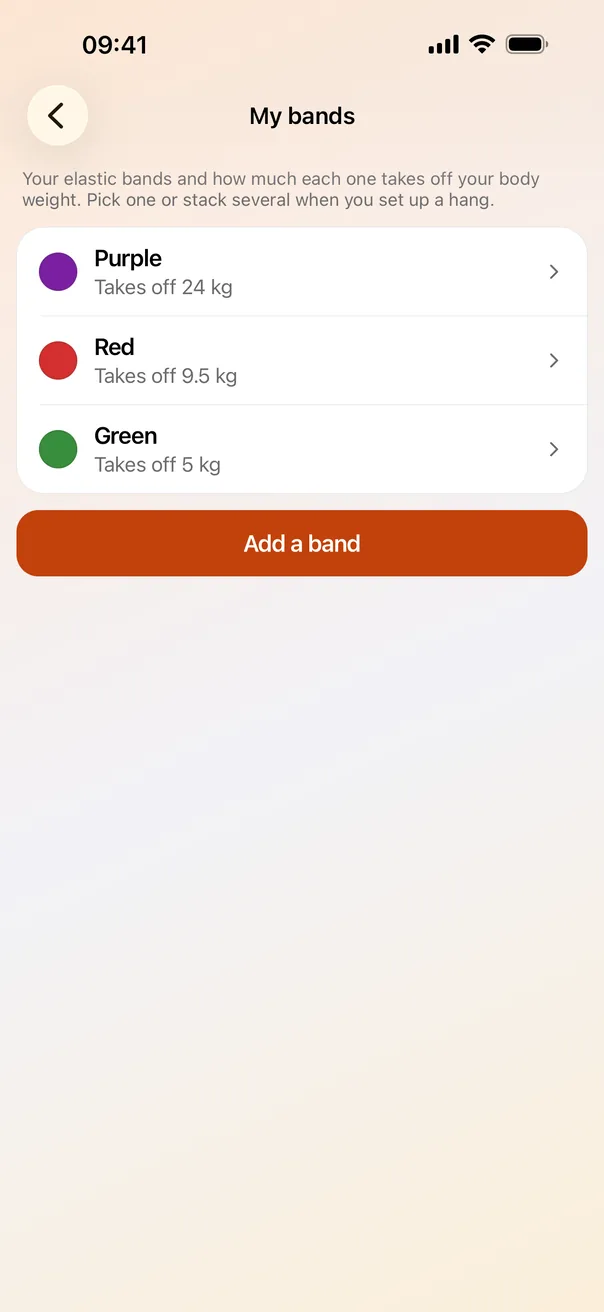
Add weight, hang on bodyweight, or take load off with the bands you own. Each band's assistance is measured on a scale, stacked bands add up, and everything is shown as a share of your bodyweight.
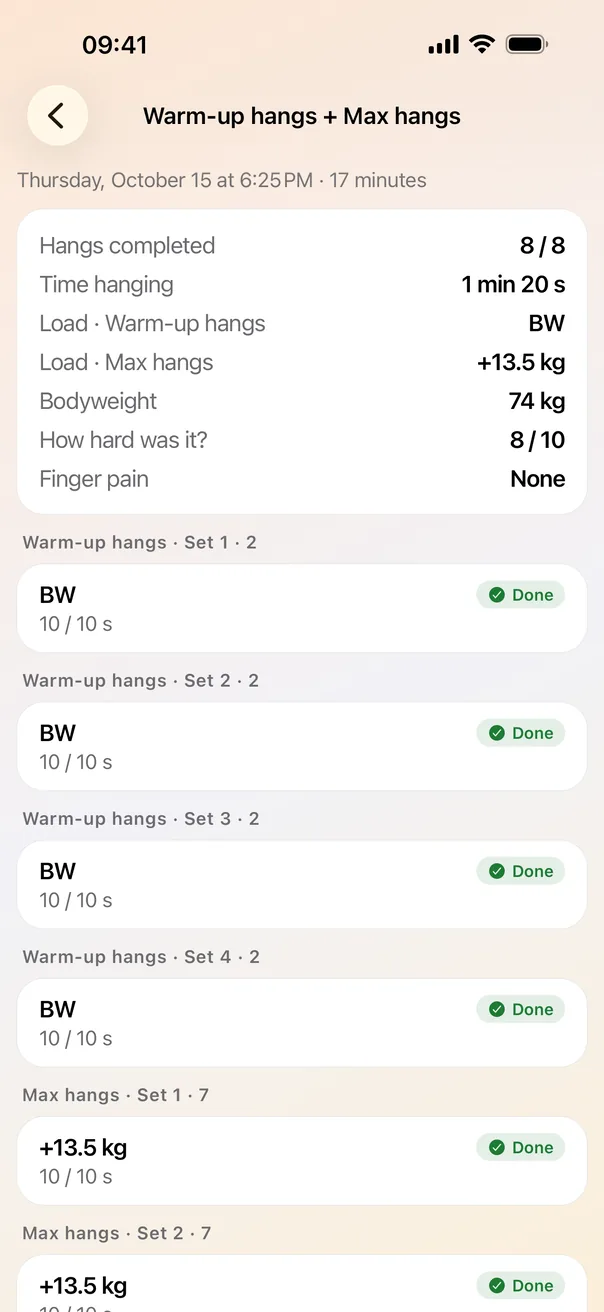
A warm-up and the main work run back to back as one session on one continuous timer. Plans put workouts on weekdays over weeks, fit to the edges your board really has, and are fully editable.
A quick finger check before a hard session, and an optional reminder when your fingers have had their 48 to 72 hours. Pain and recovery are part of the training, not an afterthought.
Strength history, hang volume and a log of every session. Logged sets keep a snapshot of what you did, so editing a plan or a board never rewrites your history.
Apple Health can save each session as a workout and show live heart rate. A Live Activity (iPhone) and an ongoing notification (Android) keep the countdown on the lock screen. Both are opt-in.
Back everything up to a file, move it to a new phone, or export every hang as CSV. Plans can be shared as a small file with a friend. Light and dark themes, kilograms or pounds.
Nothing to sign up for and nothing to sell you. The app works fully offline once installed.
Starting points to copy and edit. The names credit where each format comes from.
| Protocol | Shape | Origin |
|---|---|---|
| Max hangs | 5 × 10 s on 20 mm, 3 min rest | López-Rivera & González-Badillo |
| Max hangs, ramped | Two lighter hangs, then 3 × 10 s at the base load | Common coaching practice |
| Max hangs, two edges | 3 × 10 s on 20 mm, then 2 × 10 s on 15 mm | López's medium edge to smallest edge |
| 7/53 | 4 sets of 3 × 7 s, 53 s between | Eric Hörst |
| Repeaters | 3 sets of 6 × (7 s on, 3 s off) | Eric Hörst |
| Intermittent hangs | 4 sets of 4 × (10 s on, 5 s off) | López-Rivera & González-Badillo, 2019 |
| 3-6-9 ladders | 3 ladders of 3, 6 and 9 s hangs | Steve Bechtel |
| Edge ladder | Bodyweight, 4 × 10 s from 30 mm down to 20 mm | The minimum-edge idea |
| Abrahangs | 10 × 10 s, very low load, half crimp, open, two-finger | Emil Abrahamsson |
| 20/20 endurance | 3 sets of 5 × (20 s on, 20 s off) | A common strength-endurance format |
| Warm-up hangs | 4 × 10 s on 45 and 30 mm | General warm-up practice |
The research on hangboard programming is a handful of small studies, mostly on climbers who are already strong. Grade-to-strength benchmarks are approximate, partly reconstructed from third-party summaries of Lattice Training data, and boulder-to-route conversion is approximate too. CrimpLab shows ranges with their caveats and labels the test edge. It is not medical or coaching advice: warm up, stop at sharp pain, and leave time between hard sessions.
CrimpLab is in development for iPhone, iPad and Android and is not in either store yet. This page will link to the listings when it is. Questions in the meantime: crimplab-support@vedware.com.